> For the complete documentation index, see [llms.txt](https://docs.itranslator.app/llms.txt). Markdown versions of documentation pages are available by appending `.md` to page URLs; this page is available as [Markdown](https://docs.itranslator.app/overview/premium.md).

# Premium & Pro

Plans, prices, how to subscribe, how to choose or change your server and how to manage billing. Everything is done from the website.

iTranslator is free to use. **Premium** and **Pro AI** are optional subscriptions that remove the limits, improve the translation quality and unlock the advanced features, while supporting the development of the bot.

<a href="https://itranslator.app/premium" class="button primary">See the plans</a> <a href="https://itranslator.app/dashboard/subscriptions" class="button secondary">Manage my subscriptions</a>

{% hint style="success" %}
Subscribing, choosing your server, moving your subscription, cancelling and downloading invoices are all done from [itranslator.app](https://itranslator.app/dashboard). You do not need any command. The `/premium` and `/pro` commands still exist and are described [at the end of this page](#prefer-commands).
{% endhint %}

## Plans at a glance

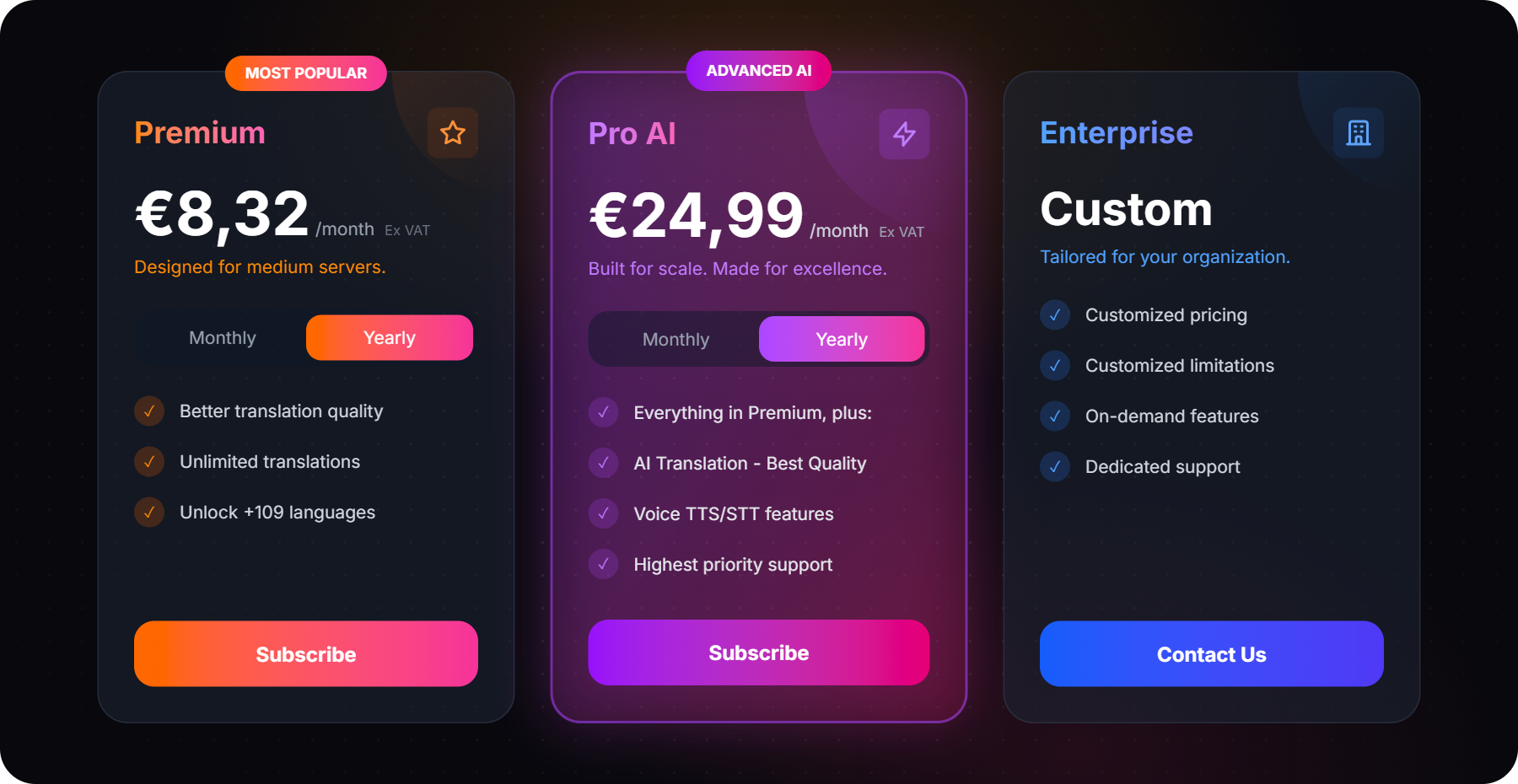
<figure><img src="https://3955709218-files.gitbook.io/~/files/v0/b/gitbook-x-prod.appspot.com/o/spaces%2FuW8Vjy8RHWcWMwcAWdcy%2Fuploads%2Fgit-blob-df790fbe494094ebf9d81fbb3645599d2a7c6d25%2Fpremium-plans.png?alt=media" alt="The Premium, Pro AI and Enterprise plans on the pricing page"><figcaption><p>The plans on <a href="https://itranslator.app/premium">itranslator.app/premium</a></p></figcaption></figure>

<table><thead><tr><th width="250"></th><th>Free</th><th>Premium</th><th>Pro AI</th></tr></thead><tbody><tr><td><strong>Price per server</strong></td><td>€0</td><td>€9.99 / month<br>or €8.32 / month billed yearly</td><td>€29.99 / month<br>or €24.99 / month billed yearly</td></tr><tr><td><strong>Translation quality</strong></td><td>Standard</td><td>High</td><td>Maximum (AI)</td></tr><tr><td><strong>Characters</strong></td><td>10,000 per server, <a href="/fundamentals/translation-limit.md">reset for free</a> by voting</td><td>Unlimited</td><td>Unlimited</td></tr><tr><td><strong>Languages</strong></td><td><a href="/fundamentals/languages-list.md">30</a></td><td>109+</td><td>109+</td></tr><tr><td><strong>Auto-Translate configurations</strong></td><td>30</td><td>Unlimited</td><td>Unlimited</td></tr><tr><td><strong>Role-Translation configurations</strong></td><td>3</td><td>Unlimited</td><td>Unlimited</td></tr><tr><td><strong>Several languages or channels per configuration, categories, custom message format</strong></td><td>No</td><td>Yes</td><td>Yes</td></tr><tr><td><strong>Auto-React, Custom Bot, flag translations in threads or private messages</strong></td><td>No</td><td>Yes</td><td>Yes</td></tr><tr><td><strong>Text-Replacement rules</strong></td><td>3</td><td>100</td><td>100</td></tr><tr><td><strong>AI translation engine, Conversation Mode, Voice (TTS and transcription)</strong></td><td>No</td><td>No</td><td>Yes</td></tr><tr><td><strong>Support</strong></td><td>Community</td><td>Highest priority</td><td>Highest priority</td></tr></tbody></table>

Prices exclude VAT. Yearly billing gives you two months free. The complete comparison table is on the [pricing page](https://itranslator.app/premium), and larger organizations can [contact us](https://itranslator.app/contact) for an Enterprise plan.

## How it works: one subscription, one server <a href="#how-it-works-one-subscription-one-server" id="how-it-works-one-subscription-one-server"></a>

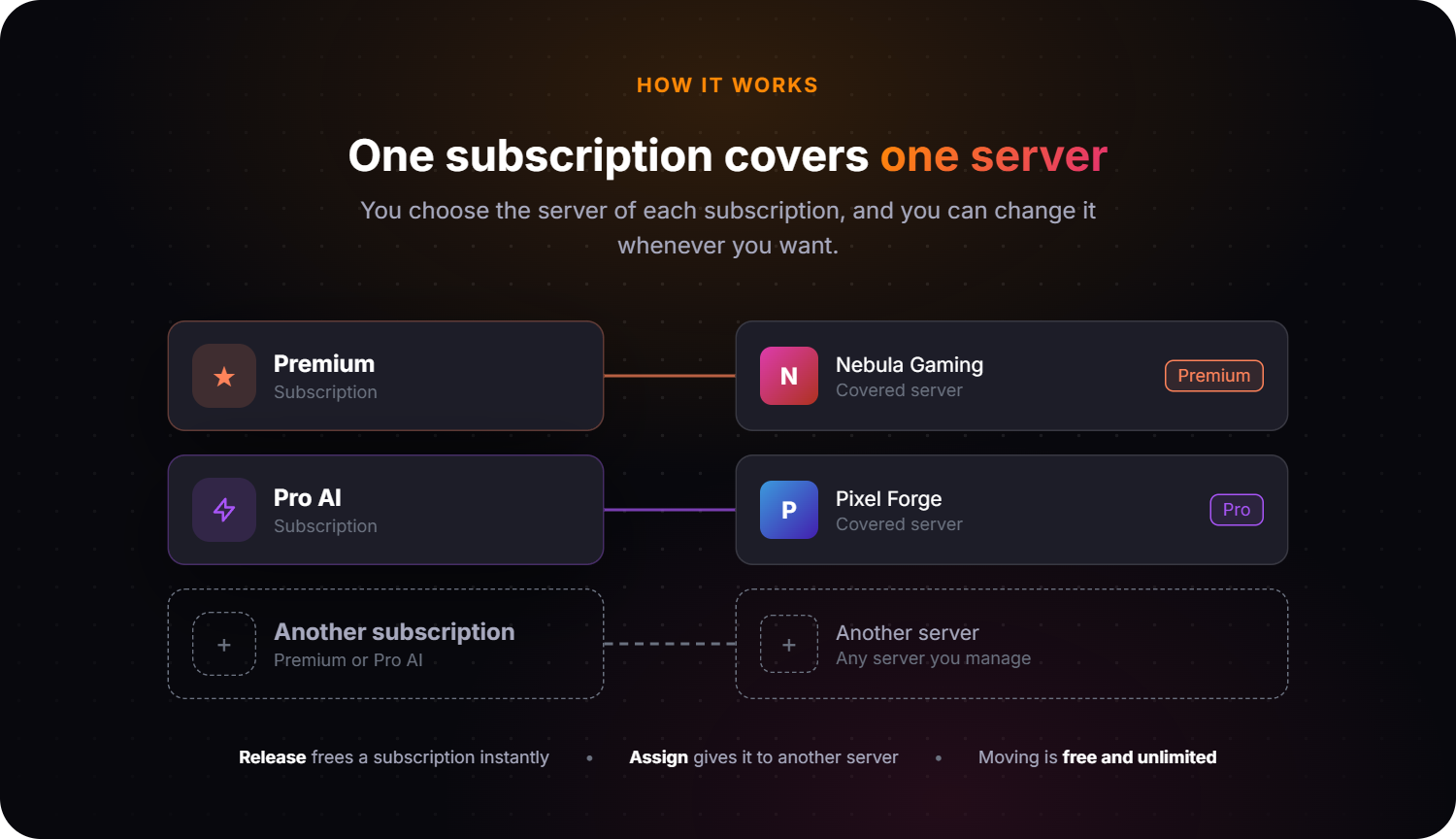
<figure><img src="https://3955709218-files.gitbook.io/~/files/v0/b/gitbook-x-prod.appspot.com/o/spaces%2FuW8Vjy8RHWcWMwcAWdcy%2Fuploads%2Fgit-blob-79994e11860e515ea36ac0a532f47592242fc314%2Fpremium-one-server.png?alt=media" alt="Each subscription is linked to one server: Premium to a first server, Pro AI to a second one"><figcaption></figcaption></figure>

* A subscription belongs to **your Discord account**, not to a server.
* **One subscription covers one server** at a time.
* **You choose the server**, and you can move your subscription to another server whenever you want.
* To cover **another server**, take another subscription. All your subscriptions are listed on the same page.

{% hint style="info" %}
The dashboard counts servers in **seats**: a subscription shows "1 of 1 seats used" once it is linked to a server. Some older subscriptions have several seats. Each seat covers one server and works the same way.
{% endhint %}

## Subscribe

{% stepper %}
{% step %}

### Choose your plan

Open [itranslator.app/premium](https://itranslator.app/premium), pick **Monthly** or **Yearly**, then click **Subscribe** on Premium or Pro AI. Log in with Discord if you are asked to.
{% endstep %}

{% step %}

### Choose your server

Select the server that should receive the plan. The list contains the servers where you have the **Manage Server** permission.

<figure><img src="https://3955709218-files.gitbook.io/~/files/v0/b/gitbook-x-prod.appspot.com/o/spaces%2FuW8Vjy8RHWcWMwcAWdcy%2Fuploads%2Fgit-blob-ba0591ec0511e4804f78589dee1fe3a2629f26b0%2Fpremium-choose-server.png?alt=media" alt="The Choose your server step, with a list of Discord servers" width="563"><figcaption></figcaption></figure>

A server marked **(already covered)** already has a plan, so you do not need to pay again for it. If your server is missing from the list, [invite iTranslator](https://itranslator.app/invite/go?placement=docs\&content=premium) to it first.
{% endstep %}

{% step %}

### Pay

Click **Continue to payment**. The checkout is handled by Stripe and accepts credit cards, PayPal, Apple Pay, Google Pay, Link, Bancontact, iDEAL and SEPA Direct Debit. You can enter a promotion code, and a tax ID if you buy as a company.
{% endstep %}

{% step %}

### Enjoy

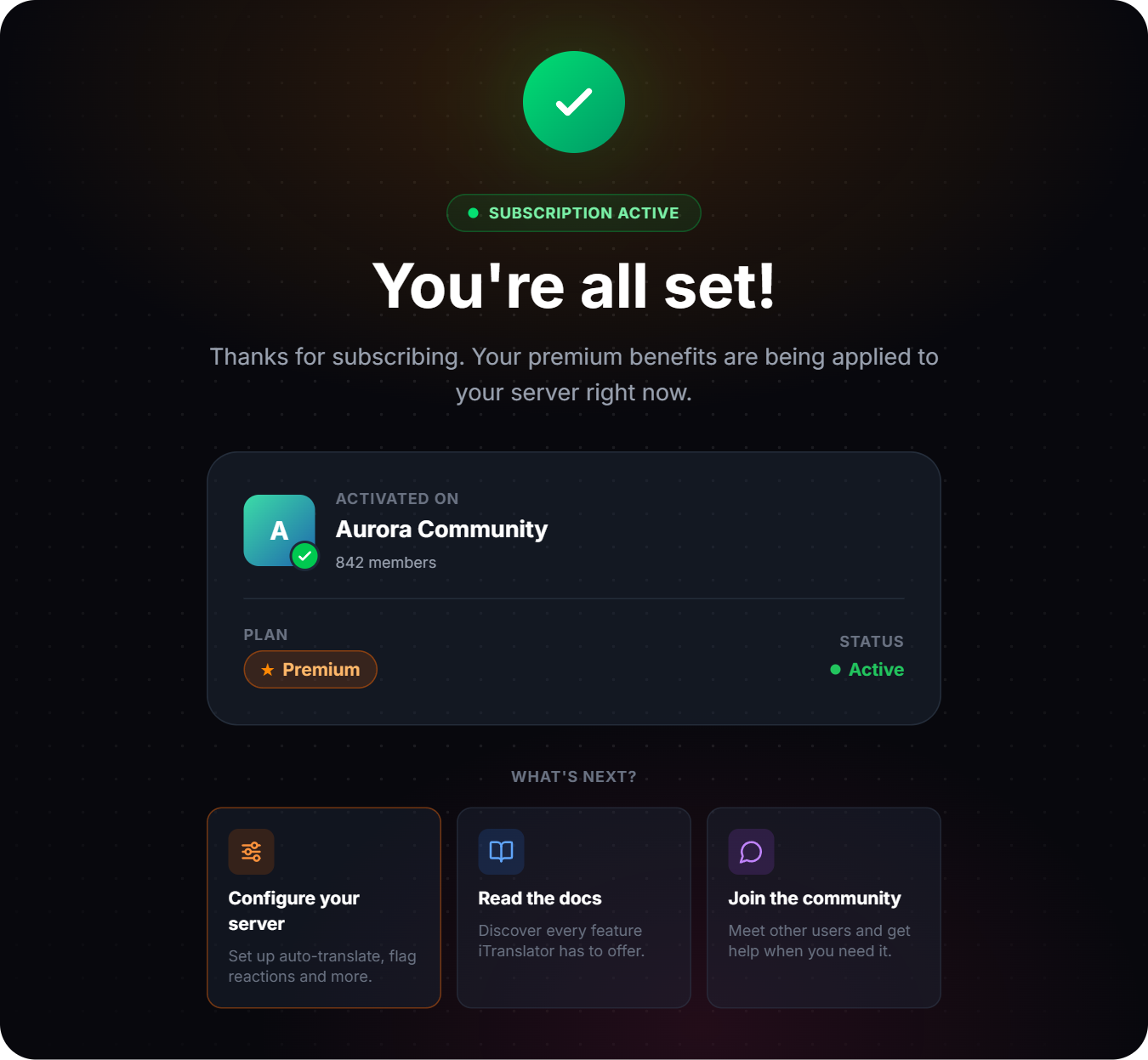
Your server is upgraded automatically as soon as the payment goes through. There is nothing to enable.

<figure><img src="https://3955709218-files.gitbook.io/~/files/v0/b/gitbook-x-prod.appspot.com/o/spaces%2FuW8Vjy8RHWcWMwcAWdcy%2Fuploads%2Fgit-blob-f667775ecfc32047bebef97ddd4575beb52fd7af%2Fpremium-activated.png?alt=media" alt="The confirmation page showing the subscription is active on the chosen server" width="563"><figcaption></figcaption></figure>
{% endstep %}
{% endstepper %}

{% hint style="info" %}
**Shortcut:** open your server in the [dashboard](/fundamentals/dashboard.md) and go to **Premium/Pro**. The plans shown there are already linked to that server, so you skip the server selection.
{% endhint %}

## Manage your subscriptions

Everything lives on one page: open the [dashboard](https://itranslator.app/dashboard) and click **Subscriptions**, or go straight to [itranslator.app/dashboard/subscriptions](https://itranslator.app/dashboard/subscriptions).

<figure><img src="https://3955709218-files.gitbook.io/~/files/v0/b/gitbook-x-prod.appspot.com/o/spaces%2FuW8Vjy8RHWcWMwcAWdcy%2Fuploads%2Fgit-blob-e60ea8489b6acecc57843ef8c20c55ecce0c17f1%2Fpremium-subscriptions.png?alt=media" alt="The Subscriptions page with a Premium subscription, its covered servers and the invoices"><figcaption><p>Your subscriptions, the server each one covers, and your invoices</p></figcaption></figure>

### Move a subscription to another server

{% stepper %}
{% step %}

### Release the current server

On the [Subscriptions](https://itranslator.app/dashboard/subscriptions) page, click **Release** next to the server and confirm. The subscription is now free to be used elsewhere.
{% endstep %}

{% step %}

### Assign the new server

Under **Add a server**, choose the new server and click **Assign**. It gets the plan immediately.
{% endstep %}
{% endstepper %}

{% hint style="warning" %}
A released server loses its plan immediately and goes back to the free limits. You can move a subscription as often as you like, at no cost.
{% endhint %}

### Cover another server

One subscription covers one server, so [subscribe again](https://itranslator.app/premium) and select the other server. The new subscription appears on the same page, next to the first one.

If one of your subscriptions is not linked to any server yet, assign it instead of paying again: the pricing page reminds you when that is the case.

### Cancel or resume

Click **Manage billing** to open the Stripe billing portal, then cancel the subscription. Your plan **stays active until the end of the period you already paid for**, and you are not charged again. Until that date the subscription shows **Ends at period end**, and a **Resume subscription** button lets you change your mind in one click.

### Payment method and invoices

* **Payment method and billing details** are updated from **Manage billing**.
* **Invoices** are listed at the bottom of the Subscriptions page. Each one can be viewed online or downloaded as a PDF, and is valid for company accounting.

### If a payment fails

The subscription shows **Payment pending** and your servers keep their plan while Stripe retries the payment over the following days. Click **Update payment method** to fix it. If no retry succeeds after about three weeks, the subscription is suspended and its servers go back to the free plan. Nothing is deleted: subscribe again and assign your servers to restore them.

## Check the plan of a server

Open a server in the dashboard and go to **Premium/Pro**. You see the plan of the server and who owns the subscription. In **My servers**, a Premium or Pro badge marks each server covered by one of your subscriptions.

<figure><img src="https://3955709218-files.gitbook.io/~/files/v0/b/gitbook-x-prod.appspot.com/o/spaces%2FuW8Vjy8RHWcWMwcAWdcy%2Fuploads%2Fgit-blob-a512eec3272faa6cf94e28ff2f6ef7a98ddbb7e6%2Fpremium-server-page.png?alt=media" alt="The Premium/Pro page of a server, showing the active plan and its owner"><figcaption></figcaption></figure>

## Prefer commands? <a href="#prefer-commands" id="prefer-commands"></a>

The website is the easiest way, but the same actions exist as slash commands. Use `/pro` instead of `/premium` for a Pro AI subscription.

| Command            | What it does                                                       |
| ------------------ | ------------------------------------------------------------------ |
| `/premium enable`  | Applies your subscription to the server where you run the command. |
| `/premium disable` | Removes your subscription from this server. It does not cancel it. |
| `/premium info`    | Shows your subscriptions and the servers they cover.               |

Each command accepts an optional `server` argument (a server ID), so you can run it from another server or from a private message with iTranslator.

<details>

<summary>What it looks like in Discord</summary>

<figure><img src="https://3955709218-files.gitbook.io/~/files/v0/b/gitbook-x-prod.appspot.com/o/spaces%2FuW8Vjy8RHWcWMwcAWdcy%2Fuploads%2Fgit-blob-32f0f321d1a1e0d775cfe36b88a7ff703853ad5c%2Fimage%20(39).png?alt=media" alt="The /premium enable command and its confirmation message"><figcaption><p><code>/premium enable</code></p></figcaption></figure>

<figure><img src="https://3955709218-files.gitbook.io/~/files/v0/b/gitbook-x-prod.appspot.com/o/spaces%2FuW8Vjy8RHWcWMwcAWdcy%2Fuploads%2Fgit-blob-cc9ad4bb9da284d001a4df4120cc84dd789dd97c%2Fimage%20(40).png?alt=media" alt="The /premium disable command and its confirmation message"><figcaption><p><code>/premium disable</code></p></figcaption></figure>

</details>

## FAQ

<details>

<summary>On how many servers can I use my subscription?</summary>

One. A subscription covers one server at a time. You choose which one, and you can change it whenever you want. To cover several servers, take one subscription per server: they are all managed from the same [Subscriptions](https://itranslator.app/dashboard/subscriptions) page.

</details>

<details>

<summary>Can I move my subscription to another server?</summary>

Yes, as often as you want and for free. On the Subscriptions page, **Release** the current server, then **Assign** the new one. See [Move a subscription to another server](#move-a-subscription-to-another-server).

</details>

<details>

<summary>Can I transfer my subscription to another Discord account?</summary>

No. A subscription is tied to the Discord account that bought it. That account can however use it on any server where it has the **Manage Server** permission.

</details>

<details>

<summary>Do I have to own the server?</summary>

No. You need the **Manage Server** permission on the server, and iTranslator must be installed on it. The subscription stays attached to your account, so you keep control of it.

</details>

<details>

<summary>I paid, but my server is still on the free plan</summary>

Open the [Subscriptions](https://itranslator.app/dashboard/subscriptions) page. If your subscription is not linked to a server, choose yours under **Add a server** and click **Assign**. This happens when no server was selected during checkout, or when iTranslator was not on the server yet. Still stuck? Ask us on the [Support Discord](https://discord.itranslator.app).

</details>

<details>

<summary>What is the difference between Premium and Pro AI?</summary>

Premium removes the limits, unlocks all 109+ languages and uses a more accurate translation engine. Pro AI includes everything in Premium and adds the AI translation engine, [Conversation Mode](/amazing-features/conversation-mode.md) and the [Voice features](/amazing-features/voice-features.md).

</details>

<details>

<summary>How do I switch a server from Premium to Pro AI?</summary>

A server can only be covered by one plan at a time. Subscribe to Pro AI, then on the Subscriptions page **Release** the server from your Premium subscription and **Assign** it to your Pro AI one. You can then cancel the Premium subscription, or keep it for another server.

</details>

<details>

<summary>What happens when I cancel?</summary>

Nothing changes until the end of the period you already paid for. After that date the servers go back to the free plan. You can resume the subscription at any time before it ends.

</details>

<details>

<summary>Can I get an invoice?</summary>

Yes. Every invoice is available on the Subscriptions page, as a web page and as a PDF. You can add your company details and tax ID during checkout or later from **Manage billing**.

</details>

<details>

<summary>Which payment methods and currencies are accepted?</summary>

Credit cards, PayPal, Apple Pay, Google Pay, Link, Bancontact, iDEAL and SEPA Direct Debit. Most currencies are accepted, depending on the payment method you use.

</details>

<details>

<summary>Is the payment secure?</summary>

Yes. Payments are processed by Stripe. iTranslator never sees or stores your card details.

</details>

<details>

<summary>Can I get a refund?</summary>

Just ask us. Contact us by email at <support@itranslator.app> or on the [Support Discord](https://discord.itranslator.app), tell us what happened and we will look into it with you. Refunds are granted at our discretion, case by case, as described in our [Terms of Sale](https://itranslator.app/terms-sales).

</details>

{% hint style="info" %}
Another question? Our team answers on the [Support Discord](https://discord.itranslator.app).
{% endhint %}