> For the complete documentation index, see [llms.txt](https://docs.itranslator.app/llms.txt). Markdown versions of documentation pages are available by appending `.md` to page URLs; this page is available as [Markdown](https://docs.itranslator.app/fundamentals/dashboard.md).
# Dashboard
Configure iTranslator from your browser: translations, moderation, bot profile, statistics and subscriptions, with no command to remember.
The dashboard is the web panel of iTranslator. Almost everything you can do with a slash command can be done there in a few clicks, with the lists of your channels, roles and languages ready to pick from.
Open the dashboard
{% hint style="info" %}
The dashboard and the commands edit the same settings. A change made on one side is visible on the other, so use whichever you prefer.
{% endhint %}
## Log in and pick a server
{% stepper %}
{% step %}
### Log in with Discord
Go to [itranslator.app/dashboard](https://itranslator.app/dashboard) and authorize iTranslator with your Discord account.
{% endstep %}
{% step %}
### Choose a server
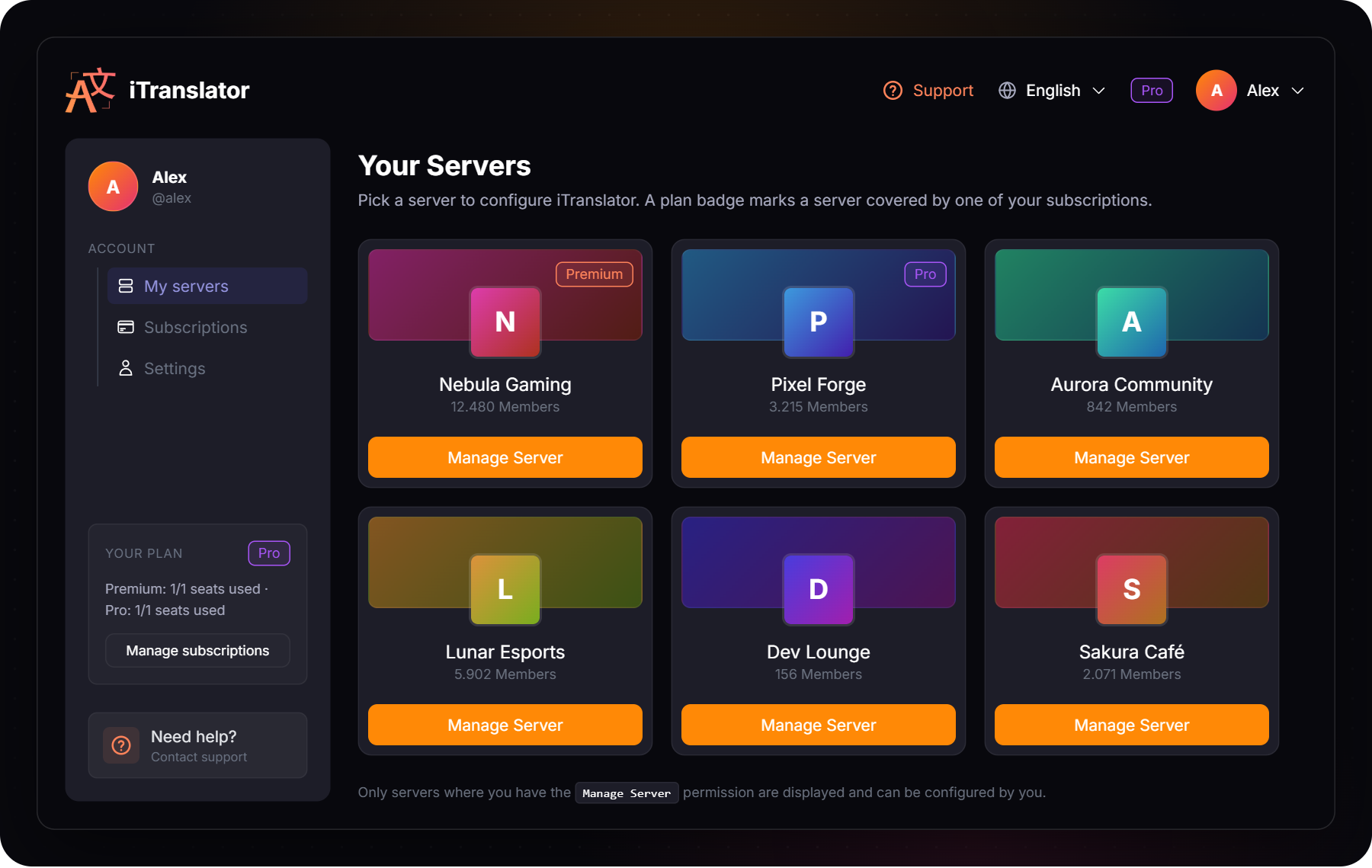
**My servers** lists every server where you have the **Manage Server** permission. Click **Manage Server** to open one.
If iTranslator is not on that server yet, the invite window opens first, then you land on the server page.
{% endstep %}
{% endstepper %}
You can switch to another server at any time from the **Server selection** menu at the top of the sidebar. The interface language is changed from the top bar.
## What you can configure
Once a server is open, the sidebar is split in two groups.
### Server
| Page | What you do there | Documentation |
| -------------------- | ------------------------------------------------------------------------------------- | --------------------------------------------------------------------------------------------------------------------------------------------------------- |
| **Overview** | Check the plan of the server, the characters used and the translation activity chart. | [Statistics](/amazing-features/statistics.md) |
| **Configuration** | Turn on Auto-Erase and Auto-React, and set the Conversation Mode delay. | [Auto-Erase](/amazing-features/auto-erase.md), [Auto-React](/amazing-features/auto-react.md), [Conversation Mode](/amazing-features/conversation-mode.md) |
| **Custom Bot** | Change the nickname, avatar, banner and bio of the bot on this server. | [Custom Bot](/amazing-features/custom-bot.md) |
| **Translate-Ban** | Exclude roles and users from translations. | [Translate-Ban](/amazing-features/translate-ban-role-and-user.md) |
| **Text-Replacement** | Manage the rules applied to a message before it is translated. | [Text-Replacement](/amazing-features/text-replacement.md) |
| **Premium/Pro** | See the plan of the server and who owns the subscription, or upgrade. | [Premium & Pro](/overview/premium.md) |
### Translations
| Page | What you do there | Documentation |
| -------------------- | --------------------------------------------------------------------------------- | ------------------------------------------------------------------- |
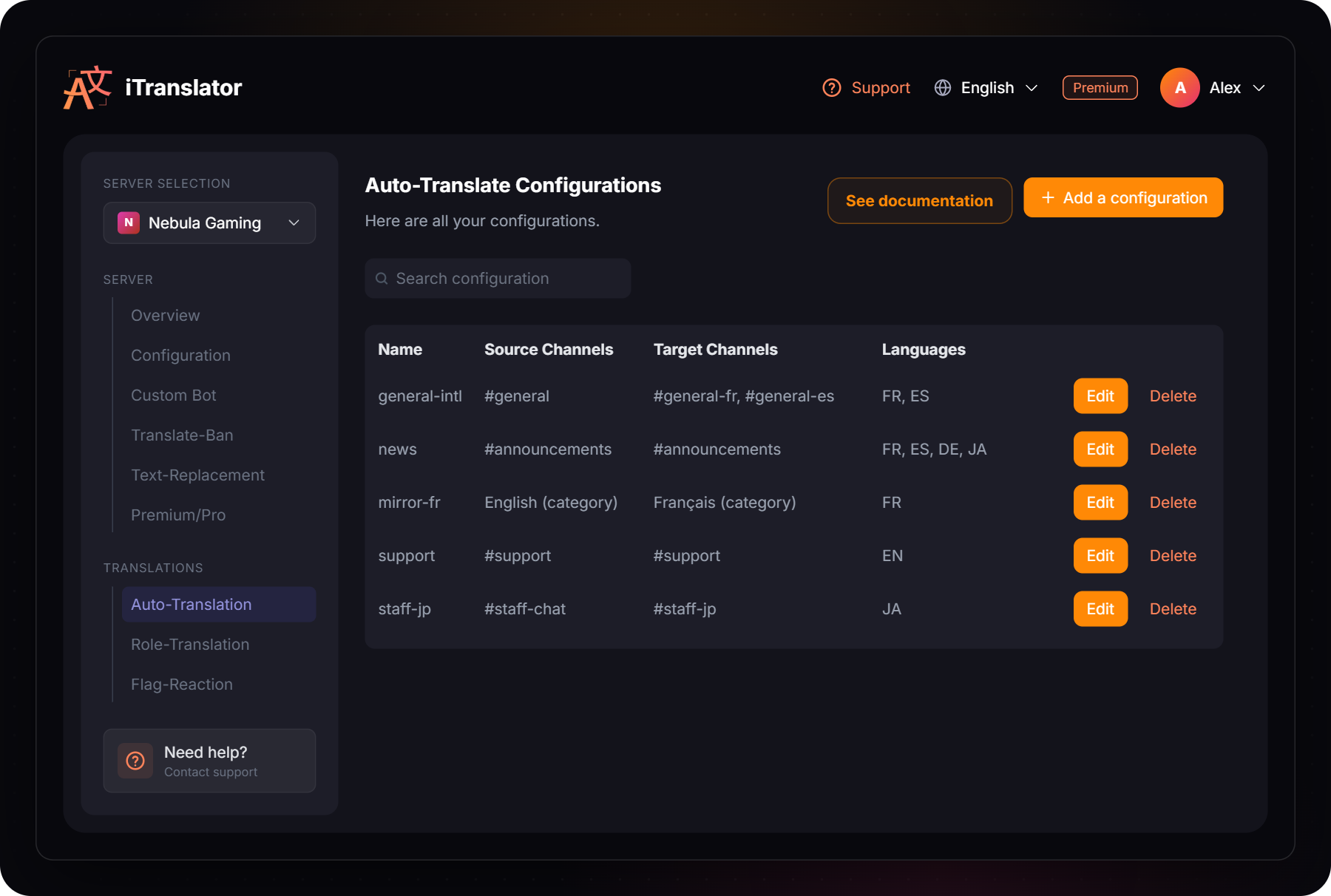
| **Auto-Translation** | Create, edit and delete the configurations that translate channels automatically. | [Automatic-Translation](/amazing-features/automatic-translation.md) |
| **Role-Translation** | Create, edit and delete the configurations that translate the members of a role. | [Role Translation](/amazing-features/role-translation.md) |
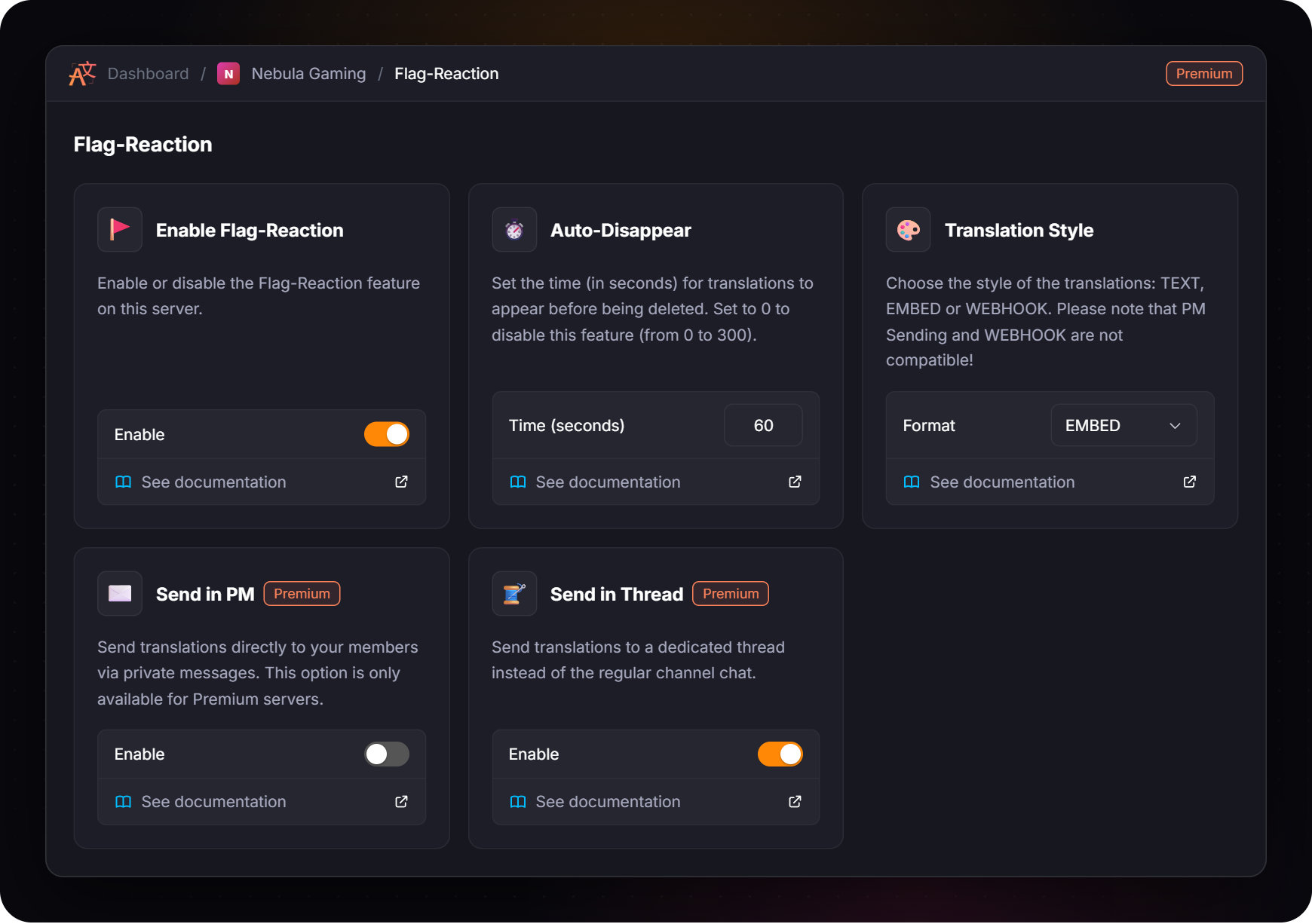
| **Flag-Reaction** | Enable translation by flag and choose how the translations are sent. | [Translation by Flag](/amazing-features/translation-by-flag.md) |
## Server overview
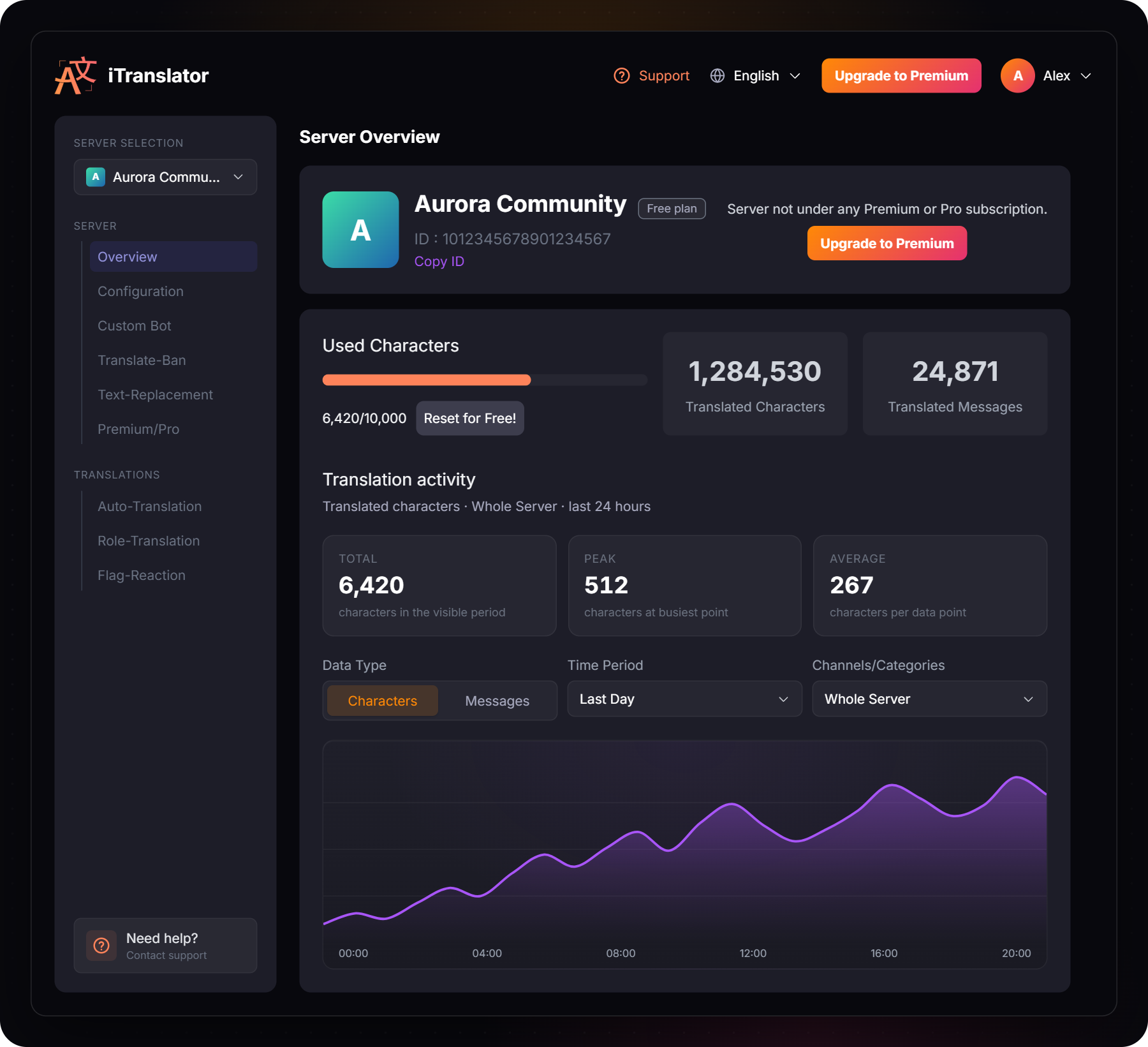
The **Overview** page is the home of a server. It shows its plan, the characters used against the [translation limit](/fundamentals/translation-limit.md), the lifetime totals and a chart of the translation activity.
The chart can display translated **characters** or **messages**. On the free plan it covers the last 24 hours for the whole server. [Premium](/overview/premium.md) adds the weekly, monthly, quarterly and yearly history, and a filter by channel or category.
## Translations
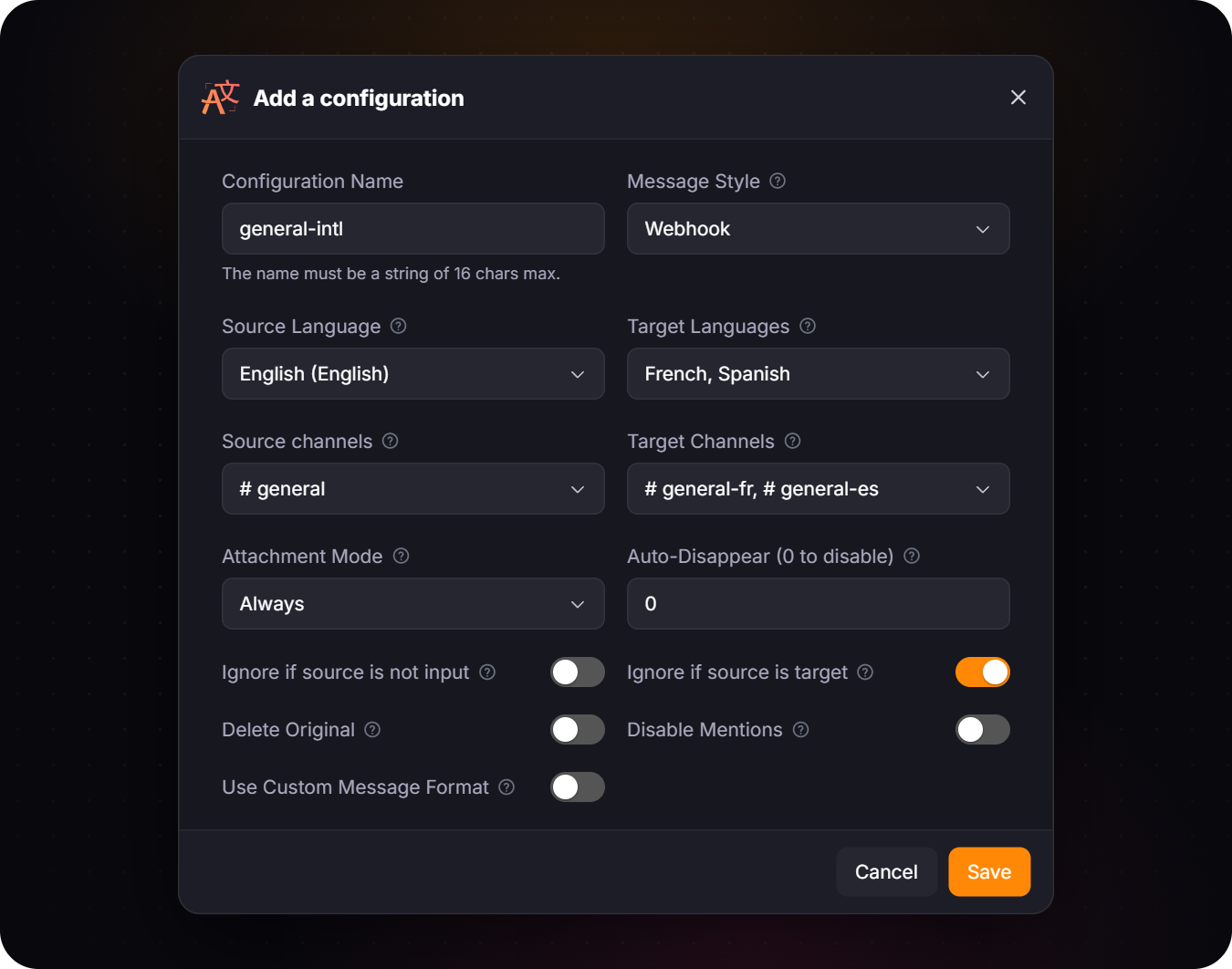
The **Auto-Translation** and **Role-Translation** pages list your configurations. Click **Add a configuration** to create one, or **Edit** to change every option of an existing one in a single form.
One form for the channels, the languages and every option
The **Flag-Reaction** and **Configuration** pages work with cards: each card is one feature, with its switch or its value. A change is saved as soon as you make it.
{% hint style="info" %}
A **Premium** or **Pro** badge next to an option means it needs that plan. Every card also has a **See documentation** link to the matching page of this documentation.
{% endhint %}
## Your account
The pages under **Account** are about you, not about a server. Open them from **My servers**, or from the menu behind your avatar.
| Page | What you do there |
| ----------------- | -------------------------------------------------------------------------------------------------------------------------------------------------------------------------------------------------- |
| **My servers** | Pick the server to configure. A plan badge marks the servers covered by one of your subscriptions. |
| **Subscriptions** | Choose or change the server of each subscription, resume or cancel it, update your payment method and download your invoices. See [Premium & Pro](/overview/premium.md#manage-your-subscriptions). |
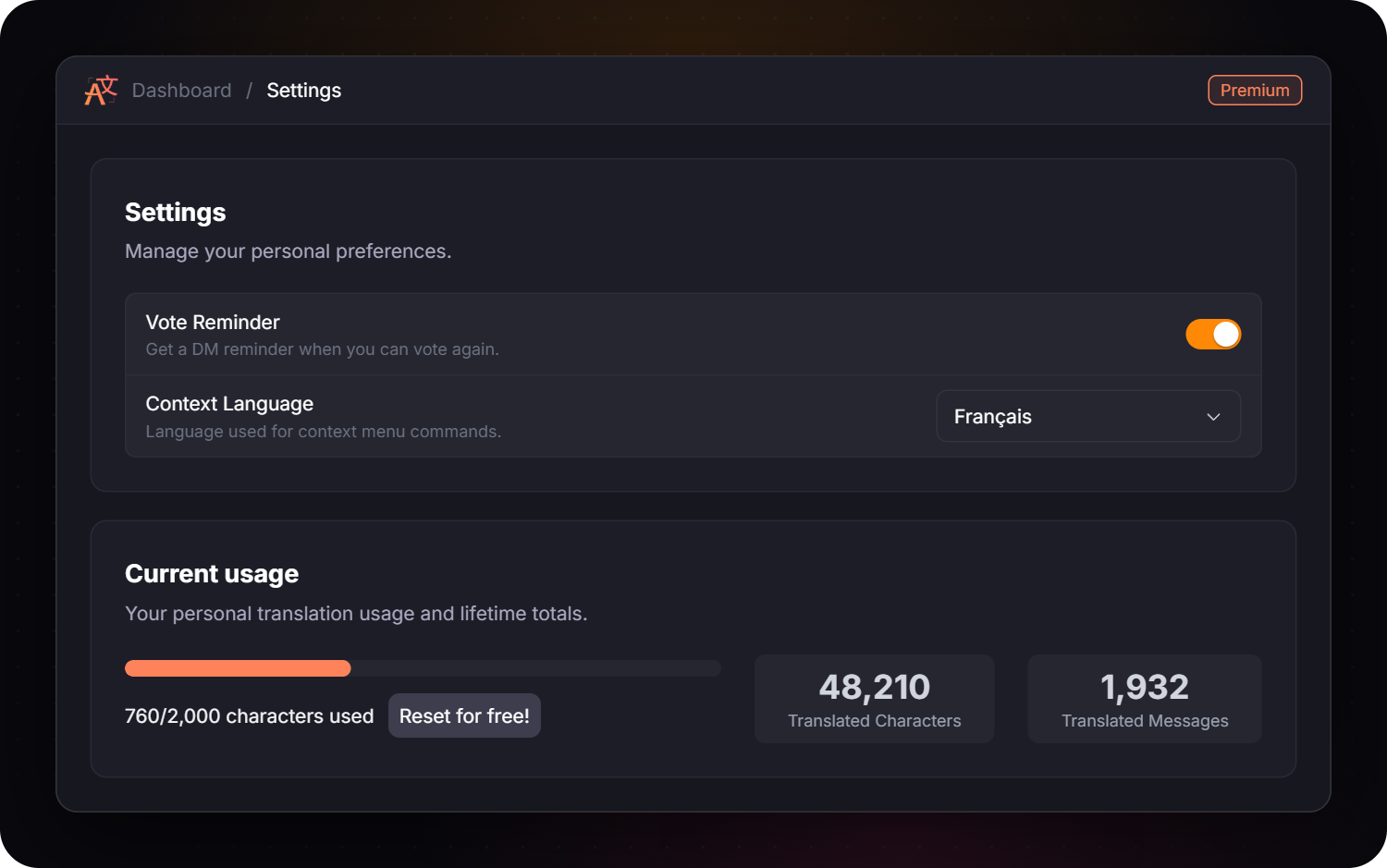
| **Settings** | Turn the vote reminder on or off, choose the language of your [context commands](/fundamentals/context-commands.md), and check your personal usage. |
## What still needs a command
A few features are used directly in Discord:
* **Translating:** `/translate`, `/detect`, flag reactions and the [context commands](/fundamentals/context-commands.md).
* **Resetting the character limit:** `/checkvote`. See [Translation Limit](/fundamentals/translation-limit.md).
* **Voice:** text-to-speech and live transcription with `/voice`. See [Voice Features](/amazing-features/voice-features.md).
* **Statistics export:** the CSV export of `/stats`. See [Statistics](/amazing-features/statistics.md).
The full list is on the [Commands](/fundamentals/commands.md) page.
## Troubleshooting
My server is not in the list
Only the servers where you have the **Manage Server** permission are displayed. Ask an administrator to give you that permission, or check that you are logged in with the right Discord account.
“iTranslator is unreachable right now”
The dashboard could not reach the bot for that server. Wait a moment and click **Manage Server** again. If it lasts, have a look at the [status page](https://itranslator.app/status).
An option is locked
Options with a **Premium** or **Pro** badge need that plan on the server you are configuring. Open **Premium/Pro** in the sidebar to see the plan of the server. See [Premium & Pro](/overview/premium.md).
---
# Agent Instructions
This documentation is published with GitBook. GitBook is the documentation platform designed so that both humans and AI agents can read, navigate, and reason over technical content effectively. Learn more at gitbook.com.
## Querying This Documentation
If you need additional information that is not directly available in this page, you can query the documentation by asking a question.
Perform an HTTP GET request on the following URL with the `ask` and `goal` query parameters:
```
GET https://docs.itranslator.app/fundamentals/dashboard.md?ask=&goal=
```
`ask` is the immediate question: it should be specific, self-contained, and written in natural language.
`goal` is what the user is ultimately trying to achieve, the reason they need the answer. Sharing it helps GitBook give you a better, more relevant answer. A goal is most helpful when it describes the outcome the user wants rather than restating the question. For example, with `ask=how do I create an API token`, a goal like `automate deployments from our CI pipeline` lets GitBook tailor the answer to that use case.
The response will contain a direct answer to the question and relevant excerpts and sources from the documentation.
Use this mechanism when the answer is not explicitly present in the current page, you need clarification or additional context, or you want to retrieve related documentation sections.