> For the complete documentation index, see [llms.txt](https://docs.itranslator.app/llms.txt). Markdown versions of documentation pages are available by appending `.md` to page URLs; this page is available as [Markdown](https://docs.itranslator.app/amazing-features/translation-mode.md).
# Translation Mode
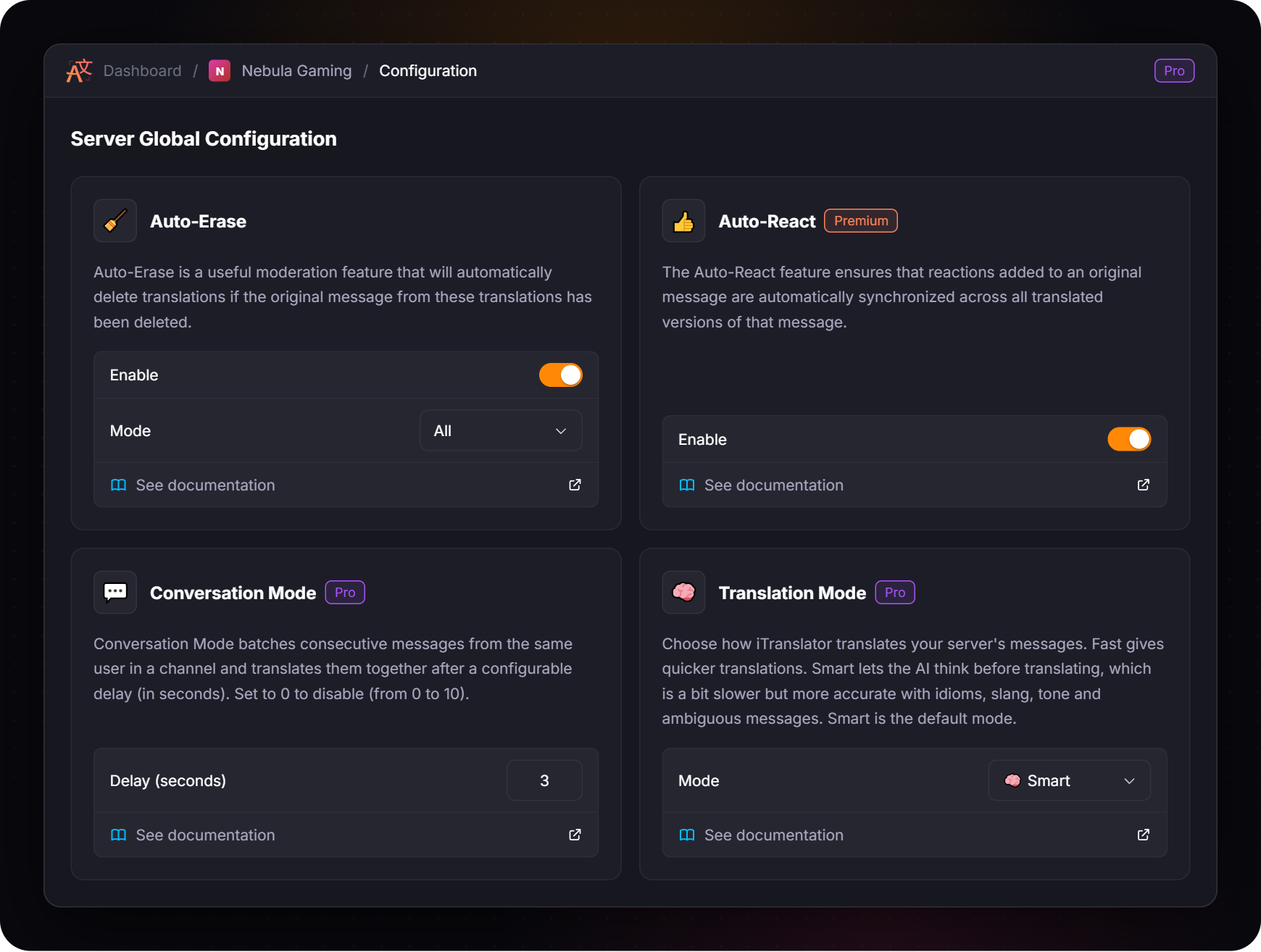
Choose how the AI translates your server: Fast for quicker translations, or Smart for more accurate ones — a Pro exclusive feature.
{% hint style="info" %}
This feature requires [**Pro**](/overview/premium.md).
{% endhint %}
## What is Translation Mode?
On a Pro server, you choose how iTranslator translates your messages:
* **⚡ Fast** gives quicker translations.
* **🧠 Smart** lets the AI think before translating. It takes a little longer, but it is more accurate with idioms, slang, tone and ambiguous messages.
**Smart** is the default mode: your server uses it until you pick another one.
The mode applies to every translation of the server: [automatic translation](/amazing-features/automatic-translation.md), [role translation](/amazing-features/role-translation.md), [translation by flag](/amazing-features/translation-by-flag.md), [Conversation Mode](/amazing-features/conversation-mode.md), and the `/translate` and [context commands](/fundamentals/context-commands.md) used on the server.
{% hint style="info" %}
A member with their own Pro subscription always gets **Smart** for their `/translate` and context commands, whatever the mode of the server.
{% endhint %}
## Which mode should I choose?
| | ⚡ Fast | 🧠 Smart |
| ------------ | ---------------------------------------- | ------------------------------------------------------ |
| **Speed** | Quicker | A little slower |
| **Accuracy** | Accurate on everyday messages | Better with idioms, slang, tone and ambiguous messages |
| **Best for** | Very active channels where speed matters | Communities where nuance matters |
| **Default** | No | Yes |
## Change the mode
{% tabs %}
{% tab title="Dashboard" %}
Open your server in the [dashboard](/fundamentals/dashboard.md), go to **Server → Configuration** and pick the mode in the **Translation Mode** card. The change applies to the next translations.
{% endtab %}
{% tab title="Commands" %}
The commands require the **Manage Server** permission.
Command
Description
/translation-mode set <mode>
Sets the translation mode of the server: Fast or Smart.
/translation-mode help
Displays a summary of the feature and the mode used on your server.
For example, to switch to the Fast mode:
```
/translation-mode set Fast
```
The mode of a Pro server is also displayed by `/about`.
{% endtab %}
{% endtabs %}
## Tips
* **Not sure? Keep Smart.** It is the default because it gives the best translations.
* **Try Fast in very busy channels.** If translations feel slow during intense conversations, Fast keeps up with the pace.
* **Combine Smart with** [**Conversation Mode**](/amazing-features/conversation-mode.md)**.** Grouped messages give the AI more context to work with.
---
# Agent Instructions
This documentation is published with GitBook. GitBook is the documentation platform designed so that both humans and AI agents can read, navigate, and reason over technical content effectively. Learn more at gitbook.com.
## Querying This Documentation
If you need additional information that is not directly available in this page, you can query the documentation by asking a question.
Perform an HTTP GET request on the following URL with the `ask` and `goal` query parameters:
```
GET https://docs.itranslator.app/amazing-features/translation-mode.md?ask=&goal=
```
`ask` is the immediate question: it should be specific, self-contained, and written in natural language.
`goal` is what the user is ultimately trying to achieve, the reason they need the answer. Sharing it helps GitBook give you a better, more relevant answer. A goal is most helpful when it describes the outcome the user wants rather than restating the question. For example, with `ask=how do I create an API token`, a goal like `automate deployments from our CI pipeline` lets GitBook tailor the answer to that use case.
The response will contain a direct answer to the question and relevant excerpts and sources from the documentation.
Use this mechanism when the answer is not explicitly present in the current page, you need clarification or additional context, or you want to retrieve related documentation sections.