> For the complete documentation index, see [llms.txt](https://docs.itranslator.app/llms.txt). Markdown versions of documentation pages are available by appending `.md` to page URLs; this page is available as [Markdown](https://docs.itranslator.app/amazing-features/translation-mode.md).
# Translation Mode
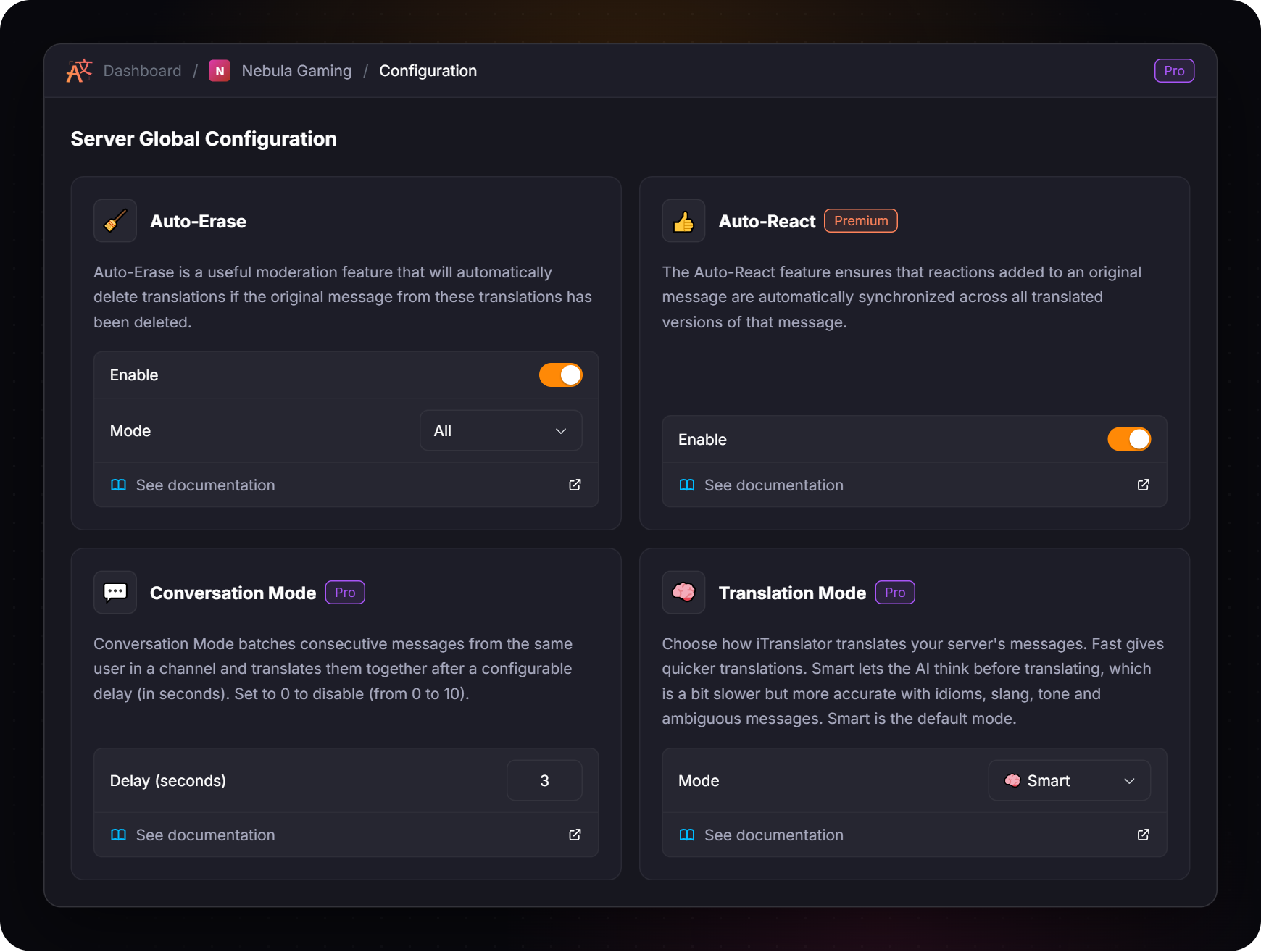
Choose how the AI translates your server: Fast for quicker translations, or Smart for more accurate ones — a Pro exclusive feature.
{% hint style="info" %}
This feature requires [**Pro**](https://docs.itranslator.app/overview/premium.md).
{% endhint %}
## What is Translation Mode?
On a Pro server, you choose how iTranslator translates your messages:
* **⚡ Fast** gives quicker translations.
* **🧠 Smart** lets the AI think before translating. It takes a little longer, but it is more accurate with idioms, slang, tone and ambiguous messages.
**Smart** is the default mode: your server uses it until you pick another one.
The mode applies to every translation of the server: [automatic translation](https://docs.itranslator.app/amazing-features/automatic-translation.md), [role translation](https://docs.itranslator.app/amazing-features/role-translation.md), [translation by flag](https://docs.itranslator.app/amazing-features/translation-by-flag.md), [Conversation Mode](https://docs.itranslator.app/amazing-features/conversation-mode.md), and the `/translate` and [context commands](https://docs.itranslator.app/fundamentals/context-commands.md) used on the server.
{% hint style="info" %}
A member with their own Pro subscription always gets **Smart** for their `/translate` and context commands, whatever the mode of the server.
{% endhint %}
## Which mode should I choose?
| | ⚡ Fast | 🧠 Smart |
| ------------ | ---------------------------------------- | ------------------------------------------------------ |
| **Speed** | Quicker | A little slower |
| **Accuracy** | Accurate on everyday messages | Better with idioms, slang, tone and ambiguous messages |
| **Best for** | Very active channels where speed matters | Communities where nuance matters |
| **Default** | No | Yes |
## Change the mode
{% tabs %}
{% tab title="Dashboard" %}
Open your server in the [dashboard](https://docs.itranslator.app/fundamentals/dashboard.md), go to **Server → Configuration** and pick the mode in the **Translation Mode** card. The change applies to the next translations.
{% endtab %}
{% tab title="Commands" %}
The commands require the **Manage Server** permission.
Command
Description
/translation-mode set <mode>
Sets the translation mode of the server: Fast or Smart.
/translation-mode help
Displays a summary of the feature and the mode used on your server.
For example, to switch to the Fast mode:
```
/translation-mode set Fast
```
The mode of a Pro server is also displayed by `/about`.
{% endtab %}
{% endtabs %}
## Tips
* **Not sure? Keep Smart.** It is the default because it gives the best translations.
* **Try Fast in very busy channels.** If translations feel slow during intense conversations, Fast keeps up with the pace.
* **Combine Smart with** [**Conversation Mode**](https://docs.itranslator.app/amazing-features/conversation-mode.md)**.** Grouped messages give the AI more context to work with.